Get started
 Log in
November 18, 2021 • read
Qmlativ Updates: Benefit Management
|
Lauren Pozorski Blogger, Traveler, and Video Talent |

Lauren Pozorski
Another year has come and gone, and open enrollment is here!
We’ve been working hard making enhancements to the Benefit Management module and we’re excited to share them with you today. Here’s what Caitlin Barton, Skyward product manager, says about these updates.
How would you describe the open enrollment process in Skyward?
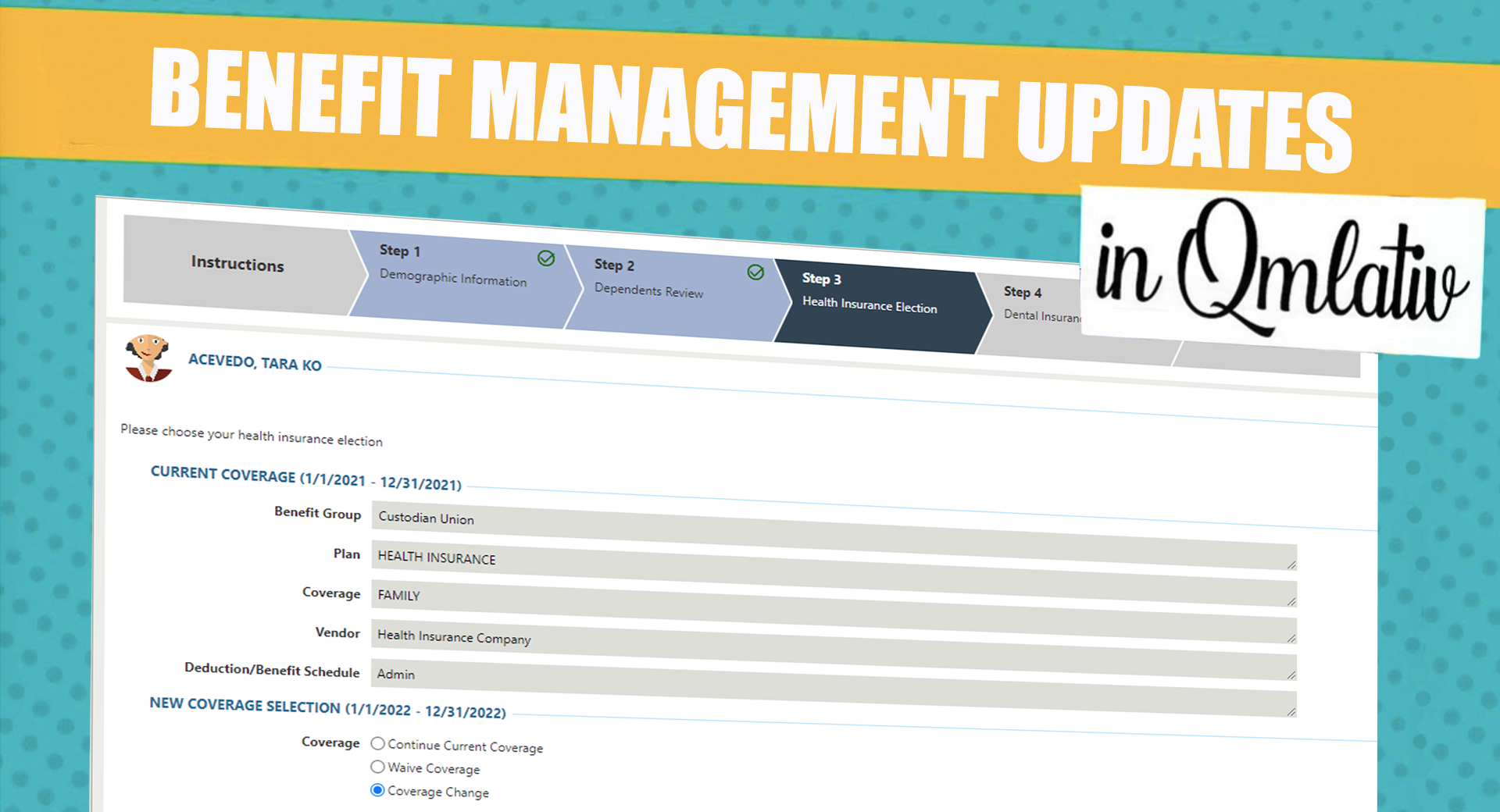
Caitlin: The Benefit Management Open Enrollment process is a fully integrated process through Benefit Management into Payroll. Setting up your Online Form for Benefit Management is totally customizable, from how you order the steps to the inclusion of videos and step-by-step instructions. You can also include additional links to supporting information directly from benefit providers.
While completing Open Enrollment, employees can update dependent information and compare per pay/annual premiums, so they know how much the costs will be. After completing these steps, employees will add an electronic signature. Then approval is completed for the online form.
Once the form is approved, the employee's election information and dependent changes are updated in Benefit Management and ready to send to Payroll.
What makes Skyward's process unique?
Caitlin: Benefit Management is integrated with Payroll—there’s no need for exports and imports from third-party benefit providers!
What tips would you offer districts who are using Benefit Management this year?
Caitlin: First, customize your Benefit Management Open Enrollment Online form. Taking time to do these customizations will create the best user experience for your employees.
Second, there are a lot of opportunities to overwrite labels and add descriptions, links, and videos—take advantage of them!
Third, add a test group of individuals and ask them to go through the online form before you release it to all employees. These testers will provide valuable feedback and help you tweak the form to make it the best it can be for your district.
Finally, set the maximum dependent count for the coverage employees are selecting. This will eliminate any mistakes by employees choosing the incorrect number of dependents for their coverage.
Why is it better to do benefits open enrollment in-house, rather than outsourcing it to a third party?
Caitlin: Benefit Management allows you to have all your benefit information in one place. It eliminates issues with double entry, decreases the chance of errors, and reduces the need to coordinate export/import files.
We hope these enhancements help your district simplify the open enrollment process this year!
Follow-up resource: 6 Popular Business Suite Widgets and Tiles
Check out the most popular widgets for taking the step toward an efficient Skyward dashboard.Thinking about edtech for your district? We'd love to help. Visit skyward.com/get-started to learn more.
|
Lauren Pozorski Blogger, Traveler, and Video Talent |
Lauren enjoys visiting school districts and spreading the word about creative, non-traditional approaches to universal challenges. Follow her for on-the-scene reporting (with a little fun sprinkled in) and tips on how to enjoy a better Skyward experience.